Blog
Don't Get Locked Out: Finding the Perfect Garage Door Remote Replacement
Door Serv Pro
Reviewed by the Door Serv Pro service team · Trained, professional garage door technicians
Last updated June 24, 2026
Why a Working Garage Door Remote Matters for Your Home
A garage door remote replacement becomes a pressing need when you’re stuck in your driveway with a device that won’t respond. As one homeowner noted, “A broken garage door remote is highly inconvenient, given the disturbance it has brought in your life.”
Quick Solutions for Garage Door Remote Replacement:
- Identify your opener – Find the brand, model, and frequency on your garage door motor unit.
- Choose the right type – Universal remotes work with most brands, or get a brand-specific replacement.
- Program the new remote – Use the ‘Learn’ button on your opener to sync the new device.
- Test and secure – Verify operation and erase old remotes from memory for security.
Your garage door remote is more than a convenience; it’s a key part of your home’s security. A broken remote means losing quick, safe access to your garage, especially during bad weather or late at night.
Fortunately, most issues are due to dead batteries, and replacement remotes are easy to program. Whether you opt for a universal or brand-specific model, understanding your options is the first step to restoring access.
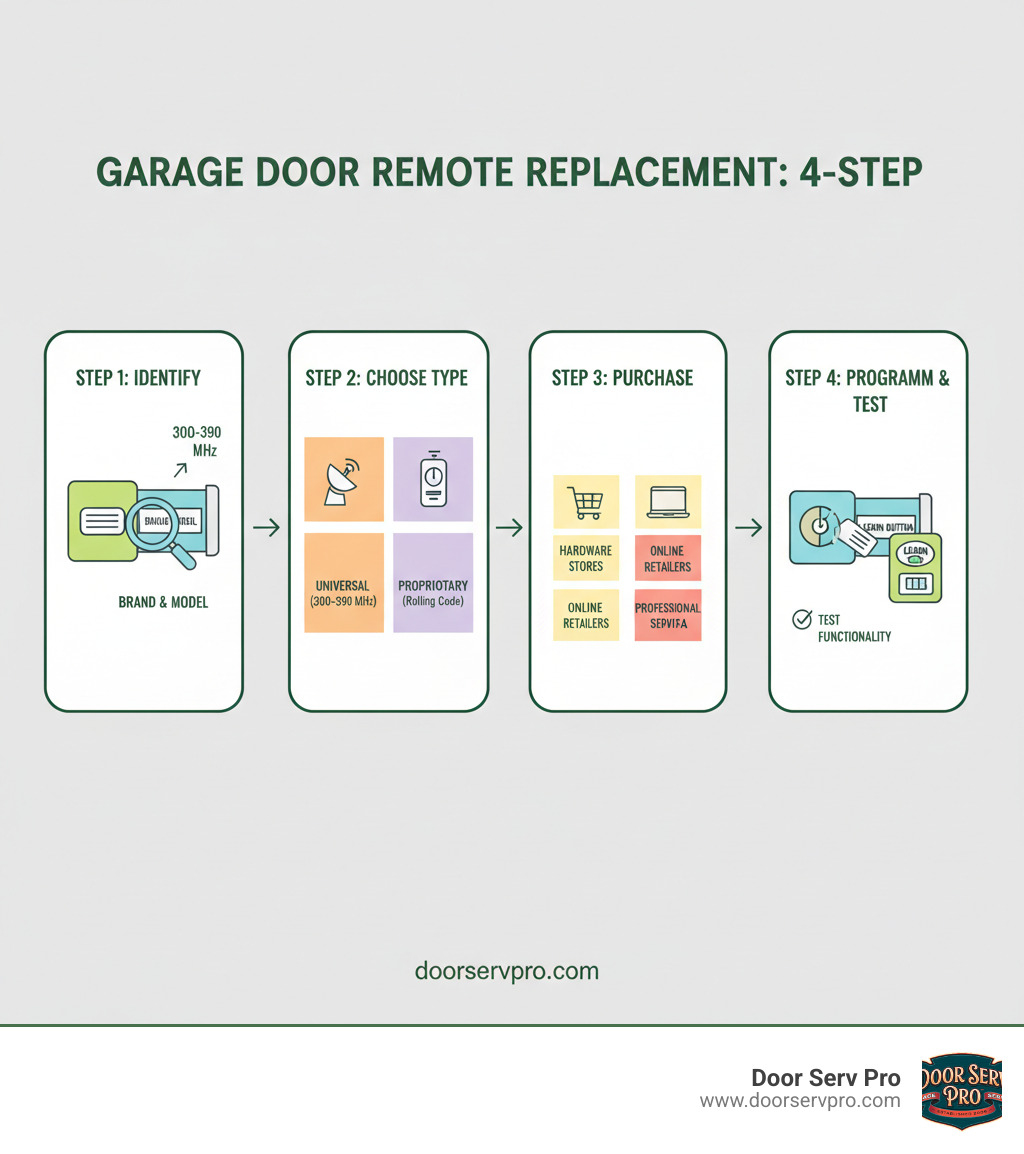
Garage door remote replacement definitions:
Why Your Remote Stopped Working: Common Culprits
When your garage door remote suddenly stops working, it’s a common frustration. Fortunately, most failures have simple explanations, and understanding the cause is the first step toward a solution.
Dead batteries are the most common culprit. Before assuming you need a full garage door remote replacement, check the batteries. Their power fades over time, causing a decline in your remote’s performance. A simple garage door remote battery change might solve your problem.
Physical damage is another frequent issue. Remotes are often dropped, stepped on, or crushed, which can crack circuit boards, damage internal parts, or wear out the buttons.
Signal interference can also be the problem. Other electronics, radio frequencies, or even weather can disrupt communication. If your remote works intermittently or only at close range, interference may be the cause.
Internal component failure can occur, especially in older remotes. Like any electronic device, the internal parts have a limited lifespan and can wear out unexpectedly.
Signs of a Failing Battery
Before you shop for a garage door remote replacement, watch for these signs that your battery is low:
- Shorter range is the first clue. If you have to get closer to the garage for the remote to work, the battery is likely weak.
- Multiple presses needed is another sign. If you have to press the button repeatedly, the remote may lack the power for a strong signal.
- A dim or flickering indicator light also points to a dying battery. If the light doesn’t turn on at all, it’s time for a change.
If a fresh battery doesn’t work, or if there’s obvious physical damage, it’s time for a replacement. For more troubleshooting help, check out our guide on how to fix garage door remote issues.
The Ultimate Guide to Garage Door Remote Replacement
When your garage door remote fails, it can disrupt your day and compromise security. However, a garage door remote replacement is usually straightforward. The secret to success is compatibility: your new remote must match your opener’s technology, frequency, and programming method. Getting this right ensures you’ll quickly restore seamless access. This guide will walk you through the process step-by-step.
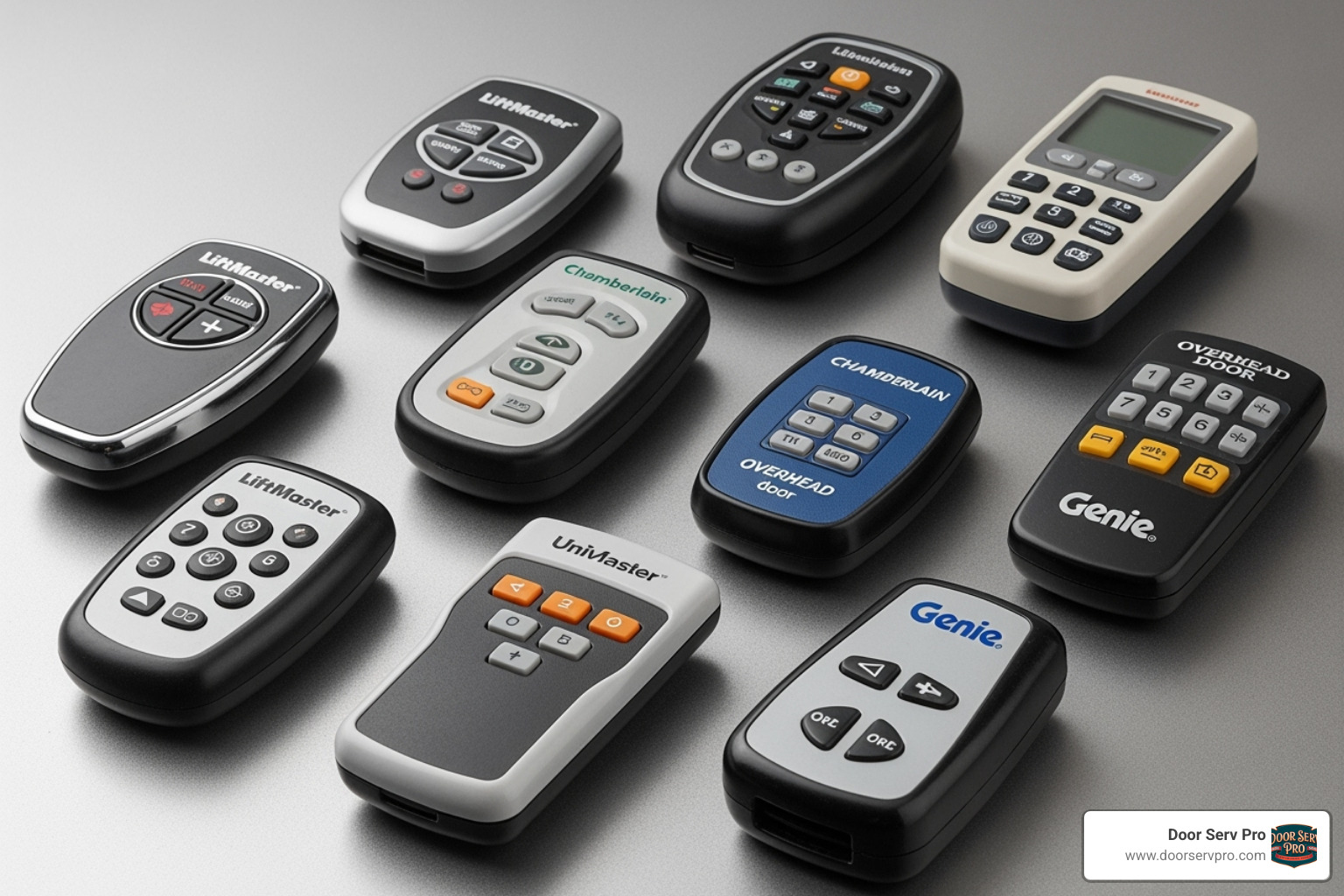
Our goal at Door Serv Pro is to restore your access and peace of mind. Let’s walk through this process together.
Step 1: Identify Your Garage Door Opener
The first step in a garage door remote replacement is to identify your garage door opener—the motor unit on your garage ceiling. The remote must be compatible with this unit to function.
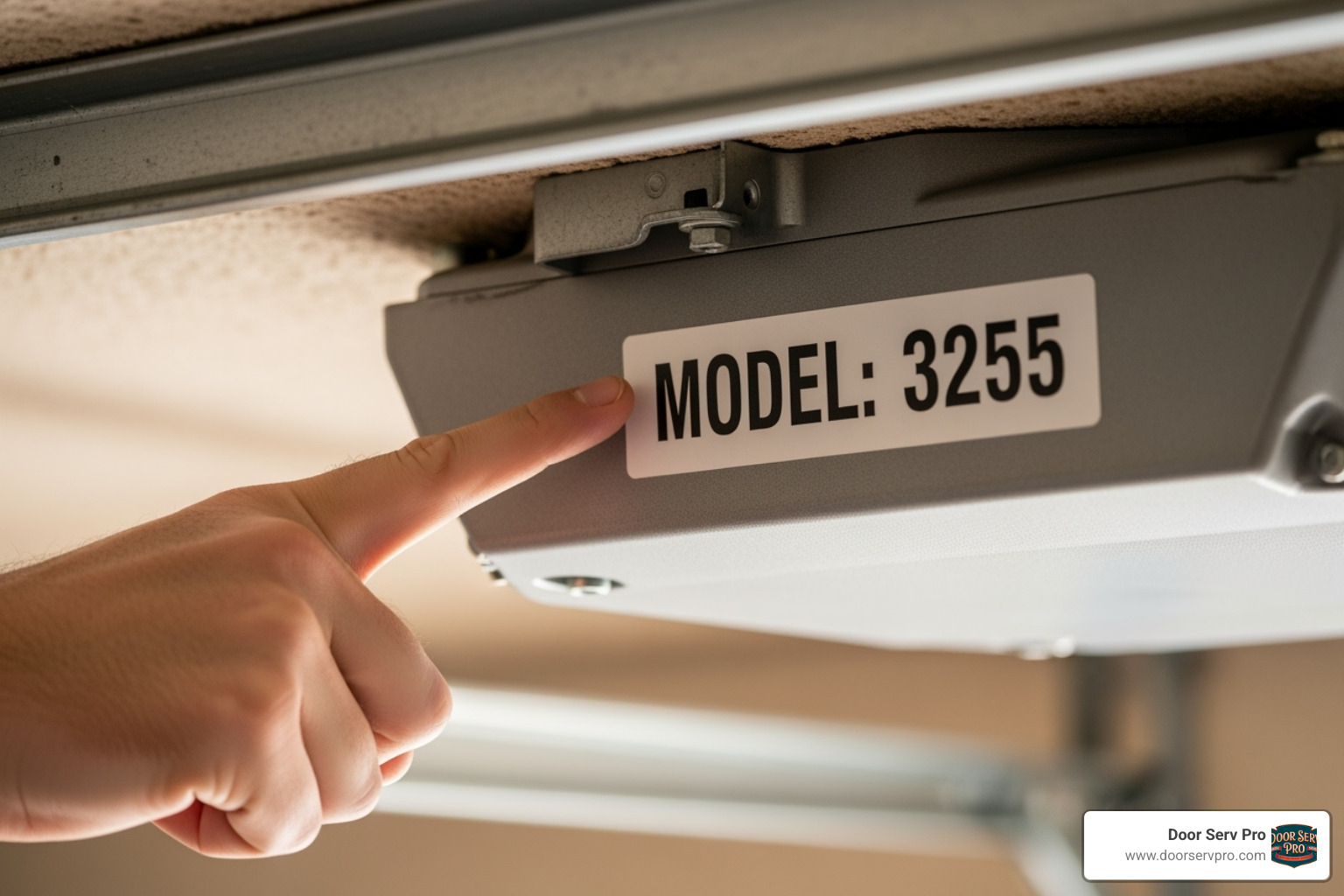
- Find the brand name on the motor housing. Look for names like LiftMaster, Chamberlain, Genie, or Craftsman.
- Locate the model number, which is essential for identifying the opener’s technology. It’s usually on a label on the motor unit. Snap a photo for easy reference.
- Check the manufacture date. Openers made before 1980 use vintage technology and may require a receiver upgrade to work with modern remotes.
- Consult your opener manual if you have it. It’s the best source for compatibility information and programming instructions. If you’ve lost it, check the manufacturer’s website for a digital copy.
Step 2: Understanding Remote Types and Technology
With your opener’s details, you can now explore remote options. The main choice is between universal and proprietary remotes.
Universal remotes are versatile and can be programmed to work with most modern opener brands. They are ideal for controlling multiple garage doors or gate openers with a single device. However, they may not be compatible with very old or specialized systems.
Proprietary remotes are made by your opener’s manufacturer for their specific systems. This guarantees compatibility and typically simplifies the programming process.
Remote technology has evolved over the years:
- DIP switch technology, common in older remotes, uses a series of small switches that you must set to match the switches in the opener.
- Modern systems use rolling code technology, which generates a new security code with every use. This prevents criminals from capturing and re-using your code, making your garage far more secure. This technology is often branded as Security+, Security+2.0, etc. The International Door Association emphasizes the importance of rolling code technology for modern garage door security.
Frequencies are also critical for compatibility. Your remote and opener must operate on the same frequency, typically 300 MHz or 390 MHz. This information is usually on the opener’s label or in the manual. For more on modern security, see our guide on Smart Garage Door Opener Installation Benefits and Features.
Step 3: Finding the Right Replacement Remote
With your opener’s information, you’re ready to find the right garage door remote replacement.
- Choose a compatible remote: Decide between a brand-specific or universal remote. For newer openers, a proprietary remote often ensures the easiest programming and best performance. Universal remotes offer flexibility, allowing you to control multiple doors or even control lights from one device.
- Consider the number of buttons: A single-button remote is fine for one door, but a multi-button remote is necessary for multiple doors or extra features.
- Where to purchase: You can buy remotes at hardware stores for immediate access and in-person advice, or from online retailers for a wider selection. If buying online, double-check compatibility (brand, model, frequency) before ordering.
For a stress-free solution, contact a professional like Door Serv Pro. We stock remotes for nearly all brands and ensure your garage door remote replacement is programmed correctly. Serving communities across West Virginia, Virginia, Pennsylvania, and Maryland, we guarantee your new remote will work perfectly.
Programming Your New Remote: A Step-by-Step Process
Once you have your garage door remote replacement, the final step is programming it to work with your opener. This process, often called syncing, is usually straightforward.
Safety first: Before programming, ensure the garage door’s path is clear of people, pets, and objects. For more on securing access points, see our guide on how to program a garage door keypad.
Programming teaches the opener to recognize your new remote’s signal. Most systems allow about 30 seconds to complete the process, so read the steps beforehand.
Locating the ‘Learn’ Button
The ‘Learn’ button on your garage door opener is the key to programming. It puts the opener into pairing mode, ready to sync with your new remote.
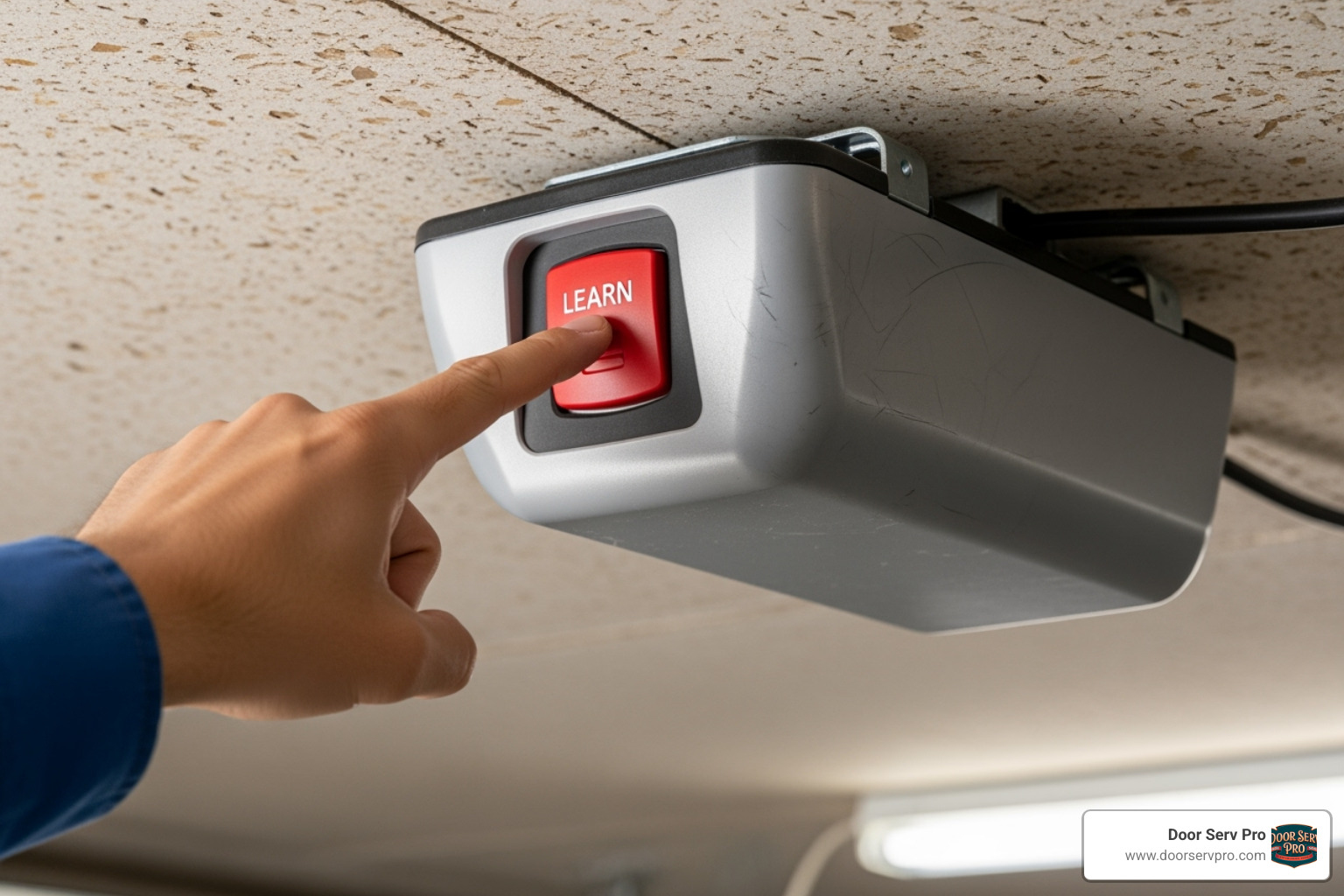
This button is located on the motor unit, usually under the light cover or near the antenna wire. It may also be on the back or side panel.
The color of the ‘Learn’ button indicates the opener’s technology. For example, yellow buttons often signify newer Security+ 2.0 systems from brands like LiftMaster, Chamberlain, or Craftsman, while purple, green, or red/orange buttons are found on other models. This color-coding helps confirm compatibility between your opener and your new garage door remote replacement.
Syncing Your New Garage Door Remote Replacement
The syncing process is similar for most brands, but always consult your opener’s manual for specific instructions.
- With the door path clear, press and immediately release the ‘Learn’ button. An adjacent LED will light up or flash, indicating the opener is ready to pair.
- Within 30 seconds, press and hold the button on your new remote. Release it once the opener’s lights flash or you hear a click, which confirms the pairing is complete.
- Test the remote by pressing the button you just programmed. The door should operate. Test it from various distances to ensure a strong signal.
If it doesn’t work, check your remote’s battery and repeat the steps, paying close attention to timing. For older DIP switch systems, programming involves matching the switch positions on the remote and opener. If you’re still having trouble, it may be time to consult a professional for garage door opener repair.
Safety First: Security and Handling Your Remote
Your garage door remote replacement is more than a convenience; it’s a key to your home. Proper handling is crucial for your home’s security, as mismanagement can create significant vulnerabilities.
A lost or stolen remote is a major security risk, potentially giving unauthorized individuals access to your garage and home. You must act quickly if a remote goes missing.
First, erase all codes from your opener’s memory. This is usually done by holding the ‘Learn’ button for 6-10 seconds until its indicator light goes out. This deactivates all existing remotes, including the lost one. Consult your manual for the exact procedure.
After clearing the memory, you will need to reprogram your remaining remotes and any new ones. This ensures your system is secure and that the lost remote can no longer be used, providing invaluable peace of mind.
Keep remotes out of reach of children. The garage door is heavy and powerful, and accidental activation can cause serious injury or damage. Store remotes securely and do not treat them as toys.
Always ensure the door’s path is clear before operating it with the remote. Never try to walk or drive under a moving door. For more safety information, review our Safety Tips for Garage Door Opener Installation.
Frequently Asked Questions about Garage Door Remotes
Here are answers to common questions about garage door remote replacement.
Can a universal remote control more than just my garage door?
Yes. This is a key benefit of universal remotes. Depending on the model and its button configuration, a single remote can be programmed to operate multiple garage doors, gate openers, and even smart accessories like myQ light accessories. This helps reduce the number of remotes you need to manage.
What are the first signs my remote’s battery is failing?
The earliest signs of a failing battery include:
- Decreased signal range: You have to get closer to the door for the remote to work.
- Needing to press the button multiple times: The remote responds inconsistently.
- Dim or non-existent indicator light: The LED on the remote is weak, flickers, or doesn’t light up.
If you experience these issues, try changing the battery before seeking a full garage door remote replacement.
What should I do if I lose my garage door remote?
A lost remote is a security risk. Act quickly to protect your home:
- Erase the remote from your opener’s memory. This deactivates the lost remote. The process usually involves holding down the opener’s ‘Learn’ button for several seconds, which clears all programmed remotes. Check your manual for specific instructions.
- Program a new remote immediately. Reprogram your existing remotes and any new garage door remote replacement to restore secure access.
Taking these steps promptly will secure your home. If you need assistance, our team can help.
Conclusion: Regain Access and Peace of Mind
A garage door remote replacement can feel daunting, but it’s a manageable process. By identifying your opener, choosing a compatible remote, and following the correct programming steps, you can restore access and security. A working remote is essential for convenience and safety, protecting you from bad weather and securing your home during late-night arrivals.
Most remote issues, from dead batteries to a full replacement, are solvable with the right information. Compatibility is key for a successful replacement.
If you prefer professional assistance, the team at Door Serv Pro is here to help. With over 25 years of experience, our NATE-certified technicians can quickly handle your garage door remote replacement and ensure it’s programmed flawlessly. We serve communities throughout West Virginia, Virginia, Pennsylvania, and Maryland, offering round-the-clock service with a 100% satisfaction guarantee.
Don’t let a faulty remote compromise your security or convenience. Let us help you regain seamless access and peace of mind. Contact us for garage door services in Ashburn, VA, or in any of our other service areas, to get your system working perfectly again.
Need Help?
Contact us today to discuss your needs. Our team is ready to help.
About the author
Door Serv Pro
More articles
View all postsKeep reading
Related articles
Ready to Get Started?
Whether you need a repair, maintenance, or a new installation, our expert team is here to help.