Blog
Unlock Convenience: Affordable & Best Garage Door Opener Programming in Inwood, WV
Door Serv Pro
Reviewed by the Door Serv Pro service team · Trained, professional garage door technicians
Last updated June 24, 2026
Why Garage Door Opener Programming Matters for Inwood Homeowners
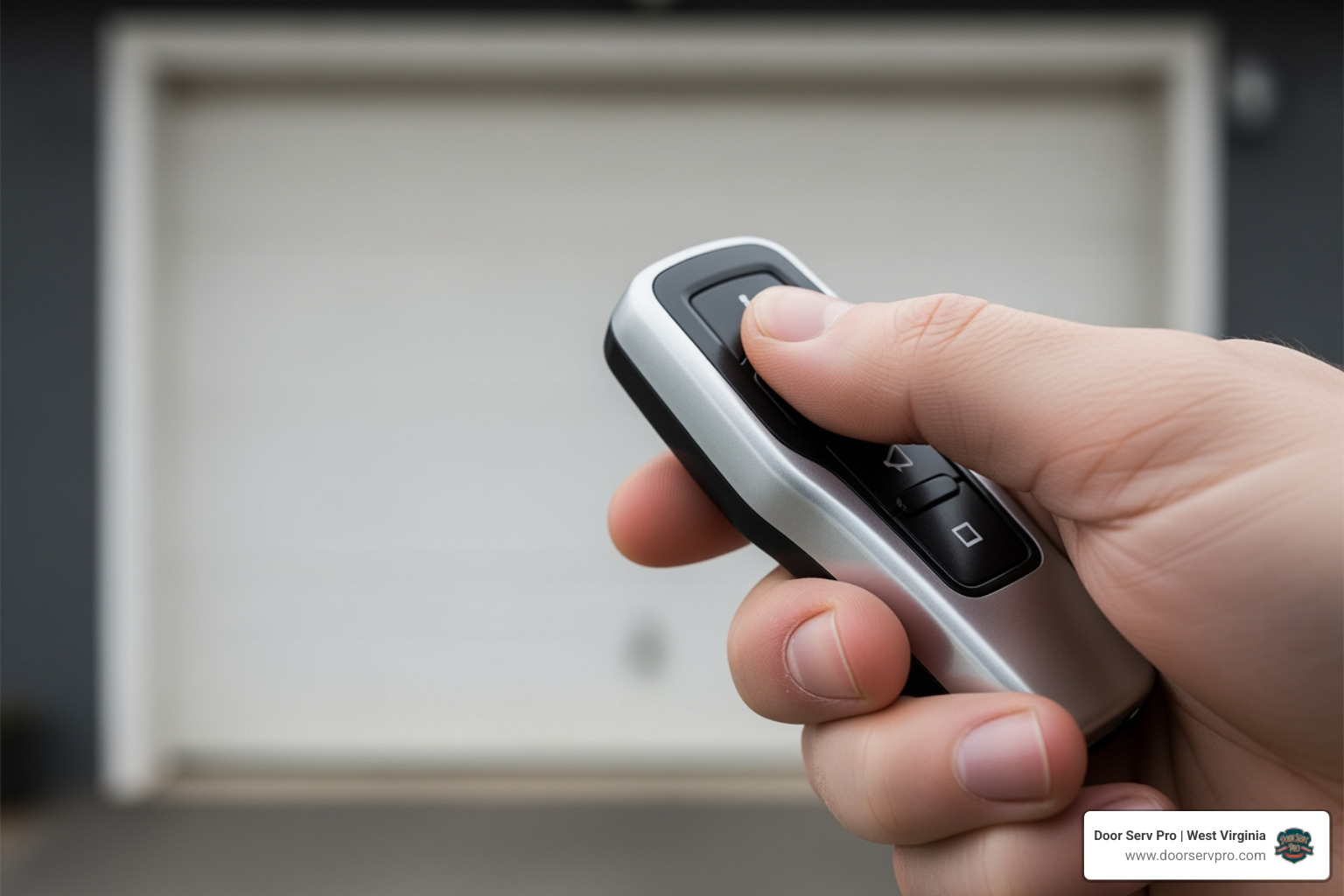
Garage door opener programming in inwood wv is essential for homeowners who want reliable access to their garage without the frustration of lost remotes, malfunctioning keypads, or outdated technology. Whether you've just installed a new opener, moved into a new home, or need to add another remote for a family member, understanding how to program your garage door system keeps your home secure and accessible. Many Inwood residents face challenges when trying to sync their remotes, integrate smart home features, or troubleshoot older systems that don't respond like they should.
Quick Programming Steps:
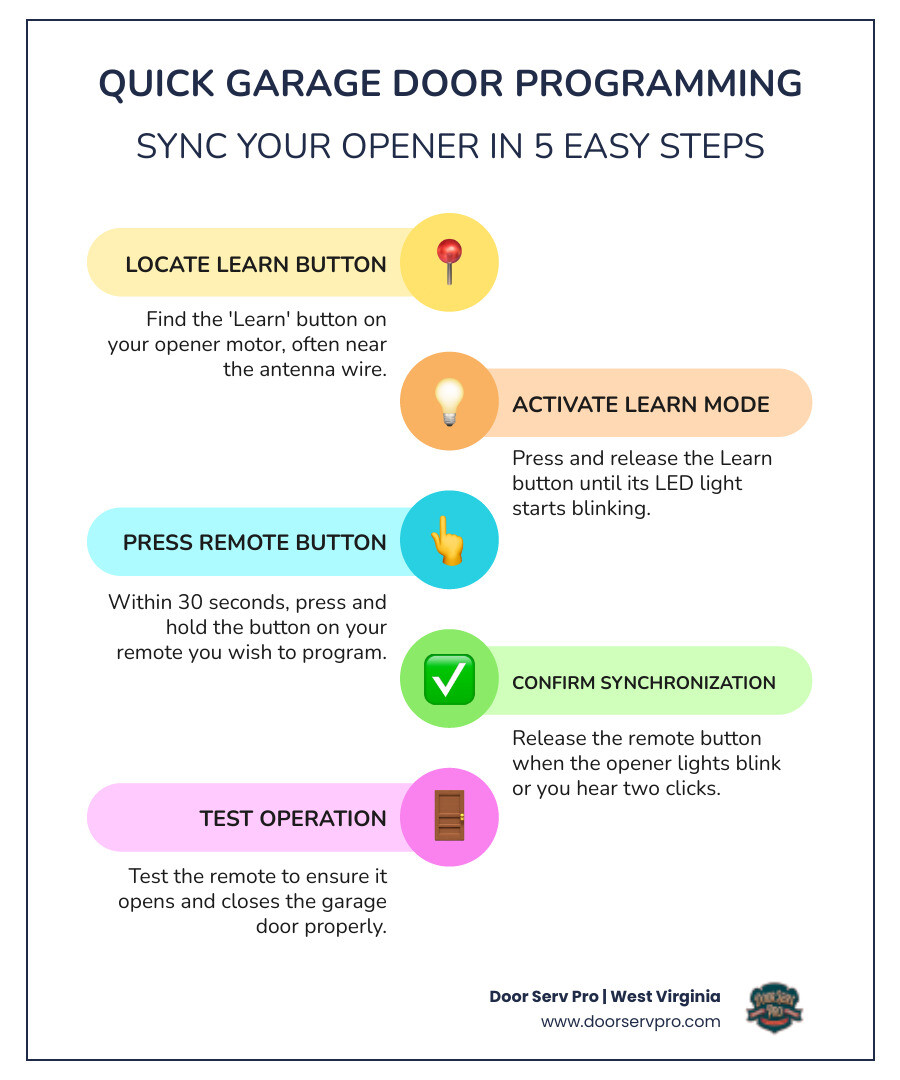
- Locate the Learn button on your garage door opener motor (usually near the antenna wire)
- Press and release the Learn button until the LED light blinks
- Within 30 seconds, press and hold the button on your remote you want to program
- Release when the opener lights blink or you hear two clicks
- Test the remote to confirm it opens and closes the door
If you're dealing with more complex issues beyond basic programming, check out our comprehensive garage door repair guide, or reach out for professional garage door opener programming services in Inwood, WV.
Common Garage Door Openers in Inwood, WV
When we talk about garage door opener programming in Inwood, WV, it's helpful to understand the common types of openers you'll encounter. Just like cars, garage door openers come in various makes and models, each with its own characteristics and programming nuances. The primary types we see in homes across West Virginia, including Inwood, are distinguished by their drive mechanisms and smart features.
The two most common drive types are:
- Belt Drive Openers: These openers use a rubber belt to open and close the garage door. They are highly favored for their quiet operation, making them an excellent choice for homes with living spaces above or adjacent to the garage. If you value peace and quiet, a belt drive is likely what you have or what you'd choose for a new garage door inwood wv guide.
- Chain Drive Openers: As the name suggests, these openers use a metal chain, similar to a bicycle chain, to move the door. Chain drives are known for their durability and strength, often being a more economical option. While they can be a bit noisier than belt drives, their robust performance makes them a popular choice for many Inwood homeowners.
| Feature | Belt Drive Opener | Chain Drive Opener |
|---|---|---|
| Noise Level | Very Quiet | Louder |
| Durability | Excellent | Excellent |
| Cost | Higher | More Economical |
| Vibration | Minimal | Noticeable |
Beyond the drive mechanism, many modern garage door openers, particularly from leading brands like LiftMaster and Chamberlain, incorporate smart technology. These "smart openers" often come equipped with features like myQ technology, which allows for smartphone control, and Security+ 2.0, an advanced rolling code technology designed to improve security. Understanding your specific opener type is the first step in successful programming.
Step-by-Step Garage Door Opener Programming in Inwood, WV
Whether you're setting up a new remote, a wireless keypad, or integrating your opener with smart home technology, the process for garage door opener programming in Inwood, WV generally revolves around the "Learn" button on your opener's motor unit. This little button is your gateway to syncing all your access devices.
The remote control or keypad plays a crucial role in garage door opener programming. These devices are what transmit the signal to your opener, telling it to open or close. When you program them, you're essentially teaching your opener to recognize the unique signal from that specific remote or keypad.
Here’s a more detailed look at the basic steps for programming:
- Locate the Learn Button: This button is typically found on the back or side panel of the garage door opener motor unit, often near the antenna wire. It might be red, orange, green, yellow, or purple, and usually has an LED light next to it.
- Activate Learning Mode: Press and immediately release the Learn button. The adjacent LED light will illuminate steadily for about 30 seconds, indicating the opener is in programming mode.
- Program Your Remote: Within those 30 seconds, take your remote control and press and hold the button you wish to use to operate your garage door.
- Confirm Programming: The garage door opener lights will flash once, or you'll hear two clicks, to confirm that the remote has been successfully programmed.
- Test Your Device: Press the programmed button on your remote to ensure it opens and closes your garage door.
For programming a wireless keypad, the steps are similar, but you'll enter a desired PIN after pressing the Learn button and then press the Enter button on the keypad to finalize. If your garage remote not working inwood guide seems to be the issue, reprogramming is often the first troubleshooting step.
Smart Home Integration and Garage Door Opener Programming in Inwood, WV
In today's connected world, many Inwood homeowners want to program their garage door opener to work with their smart home system or directly from their phone. This is where myQ technology, often found in LiftMaster and Chamberlain openers, comes into play.
Programming a LiftMaster garage door opener with myQ technology involves connecting your opener to your home's Wi-Fi network and then to the myQ app on your smartphone. Here’s how we guide our customers through it:
- Download the myQ App: First, download the free myQ app from your smartphone's app store.
- Create an Account: Set up a myQ account and sign in.
- Connect to Wi-Fi: Ensure your garage has a strong 2.4 GHz Wi-Fi signal (802.11b/g/n). In the myQ app, follow the in-app instructions to connect your garage door opener to your home's Wi-Fi network. This usually involves pressing a Wi-Fi or "Smart" button on your opener.
- Complete a Full Cycle: The opener typically needs to complete a full open and close cycle before Wi-Fi programming can be fully activated.
- Test Connectivity: Once connected, you can monitor and control your garage door from anywhere using your smartphone.
Integrating your garage door opener with a broader smart home system can sometimes be more complex, especially when dealing with proprietary technologies like Security+ 2.0. While myQ offers its own ecosystem, some older smart home devices or universal hubs might require specific adapters to bridge compatibility gaps. For instance, some users have found that directly integrating older smart home controllers (like Insteon I/O Linc) with newer Chamberlain/LiftMaster openers that use Security+ 2.0 can be challenging due to the proprietary communication protocols. In such cases, specialized dry-contact adapters are available that bypass the Security+ system, allowing for standard contact closures. If you encounter issues with these advanced integrations, our team is always ready to assist with garage door opener repair inwood wv and smart home setup.
Troubleshooting Legacy Garage Door Opener Programming in Inwood, WV
For older garage door openers or different brands, programming considerations can vary significantly. While many modern openers rely on the "Learn" button, some legacy systems, particularly those manufactured before the late 1990s, use "dip switches" for programming.
- Dip Switches: If your garage door opener or remote has a series of small switches (usually 8, 9, or 12) inside, you're dealing with a dip switch system. To program these, you need to match the switch positions (on/off or +/0/-) on your remote to those on your garage door opener receiver. This creates a matching code that the opener recognizes.
- Security+ 2.0: For newer LiftMaster and Chamberlain models, the Security+ 2.0 rolling code technology means the code changes with each use, providing improved security. While this improves protection, it also means universal remotes or older smart home devices might not be directly compatible without specific adapters. If you're having trouble with compatibility, it's often a matter of finding the right bridge device or using the direct Learn button method.
- Signal Interference: Sometimes, programming issues aren't about the steps, but about interference. Electrical noise from other appliances, power lines, or even neighboring garage door openers can disrupt the signal. While this is less common with rolling code technology, it can still occur. If your opener isn't responding reliably, we might need to investigate potential sources of interference.
Dealing with older systems or unique brand requirements can be tricky. If you're struggling with troubleshooting legacy garage door opener programming in Inwood, WV, or if your system needs a more comprehensive check-up, our experts are here to help. We address all aspects of garage door functionality, including issues that might seem unrelated, like when you need 24 hour garage cable repair inwood guide which highlights the importance of professional service for complex mechanical and electrical problems.
Troubleshooting and Safety Precautions
Even with clear instructions, sometimes programming doesn't go as planned. When your garage door opener is not programming correctly, it can be frustrating. However, with a few troubleshooting steps and a strong emphasis on safety, we can often resolve the issue or determine if professional help is needed.
Here are common troubleshooting steps and crucial safety precautions:
- Check the Remote's Battery: A dead or weak battery is a surprisingly common culprit. Most remotes use a 3V CR2032 coin battery. Replace it and try programming again.
- Verify the Learn Button Activation: Ensure you're pressing the Learn button correctly (a quick press and release) and that the LED light stays on, indicating it's in programming mode. If it flashes rapidly or doesn't light up, there might be an issue with the opener itself.
- Proximity Matters: Be within a reasonable distance of the opener when programming your remote.
- Clear Memory (If Necessary): If you've tried multiple times without success, or if you're concerned about old remotes, you can erase all programmed remotes from the opener's memory. Press and hold the Learn button until the LED light goes out (usually around 6 seconds). Then, try programming your remote from scratch.
- Check for Obstructions: While less common for programming, always ensure the garage door path is clear. An obstruction can sometimes interfere with the opener's function even during programming attempts.
Safety Precautions When Programming:
Safety is paramount when working with garage doors and their openers. These are the largest moving objects in your home, and they can be dangerous if not handled correctly.
- Keep Children Away: Never permit children to operate or play with garage door opener controls. Install wall controls within sight of the garage door and out of reach of small children (minimum 5 feet height).
- Keep Door in Sight: Always keep the garage door in sight until it is completely closed. Never go under a stopped or partially opened door.
- Test Safety Reversal System Monthly: After any adjustments or programming, test the safety reversal system. Place a 1-1/2 inch (3.8 cm) board or a 2x4 laid flat on the floor under the garage door. Press the remote to close the door. The door must reverse when it contacts the board. If it doesn't, repeat the travel programming and retest. This is a critical safety feature.
- Check the Protector System (Safety Sensors): Ensure the safety reversing sensor beam is no higher than 6 inches (15 cm) above the garage floor. The LEDs on both sensors should be glowing steadily. If they're off or blinking, the door won't close, and you'll need to check for obstructions or misalignment.
- Never Adjust Springs or Cables: Garage door springs and cables are under extreme tension. Never attempt to loosen, move, or adjust them yourself. This can cause serious injury. If you suspect an issue with these components, such as a broken spring inwood wv guide describes, call a trained door systems technician immediately.
- Disconnect Power for Maintenance: Before performing any service or maintenance on the opener itself, always disconnect the power.
Battery and Signal Maintenance
Maintaining the batteries in your remote controls and understanding your opener's diagnostic signals can prevent many programming headaches.
- CR2032 Batteries: Most modern garage door remote controls use a 3V CR2032 coin battery. We recommend replacing these annually, or whenever you notice the remote's range decreasing or if it stops working entirely. It's a simple, inexpensive fix that often resolves "remote not working" issues.
- LED Diagnostics: Your garage door opener unit often has diagnostic LED lights that flash in specific patterns to indicate problems. For instance, if the opener hums for a few seconds and then flashes 5 times, it might indicate binding or an obstruction. If the lights flash 10 times when trying to close, it often points to misaligned or obstructed safety sensors. Consulting your owner's manual for these specific flash codes can quickly pinpoint issues.
- Antenna Positioning: The antenna wire hanging from your opener unit helps it receive signals from your remotes. Ensure it's hanging freely and isn't coiled, cut, or obstructed by metal objects. Sometimes, simply repositioning the antenna can improve signal reception.
- Lockout Mode: Some garage door openers have a "lockout" feature, often activated by a wall control. This prevents remotes and keypads from operating the door. If your remotes suddenly stop working, check your wall control for a lockout button or indicator.
By staying on top of these small maintenance tasks and understanding the signals your opener gives you, you can ensure smooth and reliable operation for your garage door opener programming in Inwood, WV.
Frequently Asked Questions about Garage Door Programming
We often hear similar questions from Inwood homeowners about programming their garage door openers. Here are some of the most common ones:
How do I program my opener to my car?
Programming your garage door opener to your car's built-in HomeLink system is a popular convenience feature. The exact steps can vary slightly depending on your vehicle's make and model, as well as your garage door opener's age and technology (e.g., rolling code vs. fixed code).
Generally, the process involves:
- Clearing HomeLink's Memory: In your car, press and hold the two outer HomeLink buttons until the indicator light flashes slowly (this usually takes about 20 seconds). This clears any previous programming.
- Programming HomeLink: Hold your original garage door remote 1-3 inches away from the HomeLink button you wish to program. Press and hold both the desired HomeLink button and your remote's button simultaneously. Continue holding until the HomeLink indicator light changes from a slow flash to a rapid flash or solid light.
- Syncing with the Opener (Rolling Code Systems): For most modern garage door openers (especially those with Security+ 2.0 rolling code technology), you'll then need to go to your garage door opener unit. Press and release the "Learn" button on the opener (the LED light will illuminate).
- Final Synchronization: Quickly return to your car and press the newly programmed HomeLink button three times. The garage door should activate, confirming successful programming.
Some vehicles or newer openers might require a "bridge" adapter (often available from HomeLink or your opener manufacturer) to facilitate communication, especially with certain rolling code systems. Always check your vehicle's owner's manual or visit the HomeLink website for specific instructions for your car and opener combination.
Why does my garage door opener beep during programming?
A beeping garage door opener during or after programming can indicate a few different things, depending on the context:
- Battery Backup System: Many modern LiftMaster and Chamberlain openers come with a battery backup system. If this battery is low or needs to be replaced, the opener will typically emit a consistent beep every 30 seconds to alert you. This is a maintenance alert, not directly related to programming failure, but it can occur during the process.
- Wi-Fi Connection Issues: If your opener has myQ technology and is trying to connect to Wi-Fi, it might beep to indicate a status change or an issue with the network connection. For instance, if it's struggling to connect or has lost its connection, it might beep as a diagnostic signal.
- Diagnostic Codes: Some openers use a series of beeps in conjunction with flashing LED lights to signal specific diagnostic codes. These codes point to various operational issues, which could sometimes be triggered or highlighted during programming attempts. For example, a continuous beeping might accompany flashing lights indicating an obstruction in the safety sensors.
Always refer to your garage door opener's owner's manual to interpret specific beeping patterns or diagnostic codes, as they can vary by model and brand.
Can I program a remote without the learn button?
While the "Learn" button is the most common method for programming remotes to modern garage door openers, there are situations where you might program a remote without directly using it:
- Smart Control Panels/Wall Consoles: Many newer openers come with advanced wall-mounted control panels that have LCD screens and menu options. These "smart control panels" often allow you to program remotes or keypads directly through their menu interface, essentially acting as a proxy for the Learn button on the motor unit. You steer through the menu to a "Program Remote" or "Add Device" option, then follow the on-screen prompts.
- Legacy Dip Switches: For very old garage door openers that use dip switches (as discussed earlier), you don't use a Learn button. Instead, you manually match the switch positions on the remote to the receiver unit on the opener. This is a direct physical programming method.
- Universal Remotes (with pre-set codes): Some universal remotes come pre-programmed with common codes or have a "code search" function that scans for compatible frequencies. While this isn't programming without a Learn button in the traditional sense, it allows the remote to find and mimic a signal without direct interaction with the opener's Learn button initially. However, for full security and functionality, especially with rolling code systems, a final synchronization with the opener's Learn button is often still required.
In most cases, if your opener is a modern unit and you don't have a smart control panel, the Learn button on the motor unit remains the primary and most secure way to program your remote.
Conclusion
Mastering garage door opener programming in Inwood, WV is more than just a convenience; it's about enhancing the security and functionality of your home. From understanding the common types of openers to navigating smart home integrations and troubleshooting issues, knowing how to manage your garage door system empowers you as a homeowner. The benefits of correctly programmed openers are clear: effortless entry, robust security with rolling code technology, and the added comfort of smart home integration.
However, we understand that sometimes the process can be tricky, especially with older models, complex smart home setups, or persistent issues. That's where we come in. At Door Serv Pro, we've been serving the West Virginia community, including Inwood, for over 30 years, building a reputation for top-rated garage door repair, installation, and maintenance services. Our team brings decades of proven craftsmanship and a commitment to customer excellence, ensuring your garage door opener operates smoothly and securely.
If you encounter any challenges with your garage door opener programming in Inwood, WV, or if you need professional assistance with any aspect of your garage door system, don't hesitate to reach out to us. We're here to provide the expert help you need, backed by our dedication to quality service and our community. Visit our dedicated page for garage door opener programming inwood wv for more information or to schedule a service.
Need Help?
Contact us today to discuss your needs. Our team is ready to help.
About the author
Door Serv Pro
More articles
View all postsKeep reading
Related articles
Ready to Get Started?
Whether you need a repair, maintenance, or a new installation, our expert team is here to help.