Blog
5 Reasons Your Garage Remote Is Ghosting You
Door Serv Pro
Reviewed by the Door Serv Pro service team · Trained, professional garage door technicians
Last updated June 24, 2026
When Your Garage Door Remote Goes Silent: What Pennsylvania Homeowners Need to Know First
Garage door opener not responding troubleshooting is something most homeowners will face at least once — and it almost always happens at the worst possible moment. You press the button, nothing happens, and suddenly your whole morning is derailed.
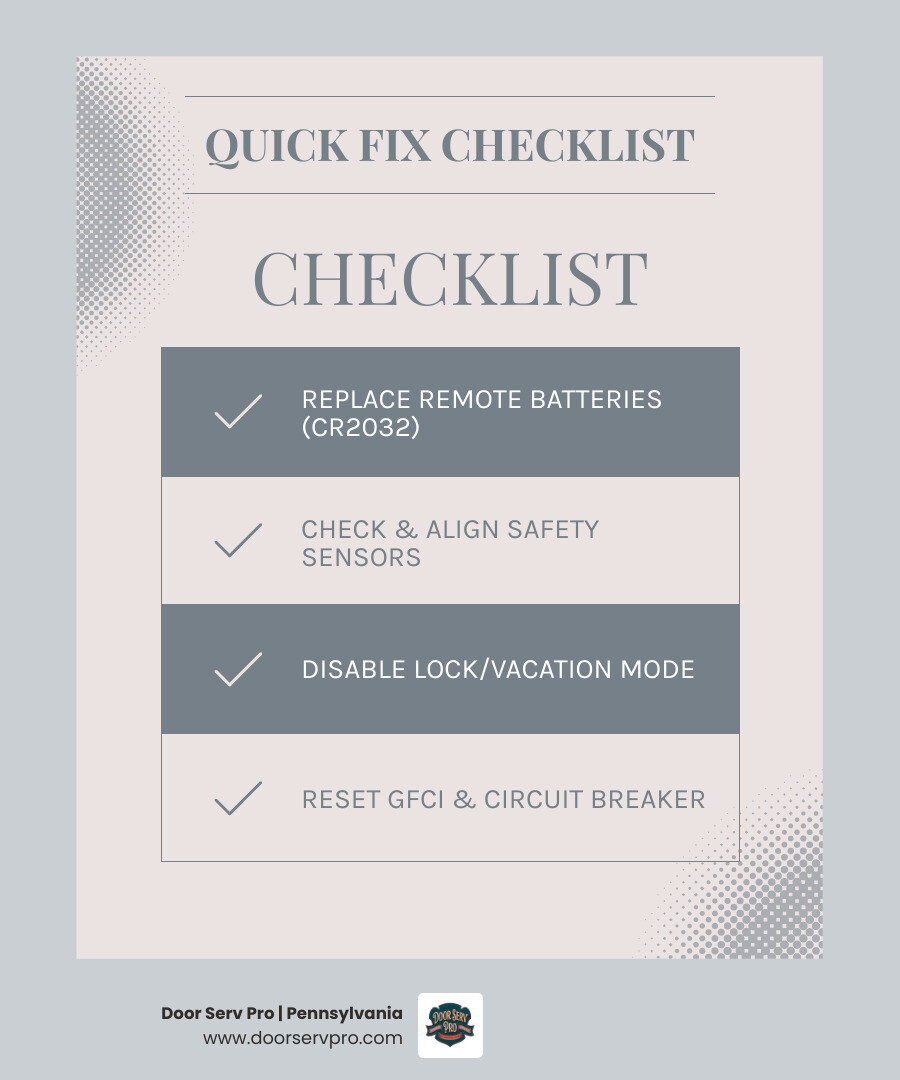
Here's the good news: research shows that roughly 80% of all garage door opener failures come down to just four simple culprits — dead remote batteries, a tripped circuit breaker, misaligned safety sensors, or an accidentally engaged lock mode. Most of these take less than five minutes to fix.
Before you assume the worst, here are the 5 most common reasons your opener isn't responding and what to check first:
- Dead or weak remote batteries — This alone accounts for about 40% of all "opener not working" service calls.
- Misaligned or dirty safety sensors — Blinking sensor lights are a telltale sign.
- Lock mode or vacation mode is active — Accidentally enabled from the wall console.
- Tripped GFCI outlet or circuit breaker — Especially common after storms or power fluctuations.
- Disconnected emergency release — The red pull cord may have been triggered, leaving the trolley disengaged.
If none of those solve it, the issue may be mechanical — like a broken spring, stripped gear, or a door that's too heavy for the opener to lift safely. We'll walk you through all of it below.
The 5 Most Common Reasons for Garage Door Opener Not Responding Troubleshooting
When you find yourself standing in your driveway in Chambersburg or Waynesboro, clicking your remote with increasing frustration, it helps to remember that your garage door system is a combination of electronics, radio signals, and heavy-duty mechanics.
In April 2026, even with the latest smart-home integrations, the core reasons for failure remain surprisingly consistent. Industry data suggests that about 90% of garage door problems can be resolved by following a series of ten quick fixes, each taking only a few minutes. If your door refuses to budge, we recommend starting with the most likely culprits before diving into complex mechanical repairs. If the door starts to close but then reverses immediately, you might find our Garage Door Not Closing Complete Guide particularly useful for diagnosing those specific "reversing" symptoms.
Dead Batteries and Signal Interference
It sounds almost too simple, but dead batteries are the reigning champion of garage door failures. About 40% of professional service calls are resolved just by swapping out a coin-cell battery. Most remotes use a CR2032 or an A23 battery, which typically lasts between one to three years. If your wall button works but the remote doesn't, the battery is your prime suspect.
However, sometimes the battery is fresh, but the signal is being "ghosted." Signal interference is a common issue in modern homes. Certain LED light bulbs emit radio frequencies that can jam the signal between your remote and the opener. If you’ve recently installed new bulbs in the opener itself or near the garage, try unscrewing them to see if the remote starts working again. If you're struggling with a remote specifically in the Chambersburg area, check out our Chambersburg Garage Remote Not Working Guide for localized tips.
Misaligned or Dirty Safety Sensors
Since 1993, the Consumer Product Safety Commission (CPSC) has mandated that all residential garage door openers in the United States include safety sensors. These "photo eyes" sit about six inches above the ground on either side of your door track. They send an invisible infrared beam across the opening; if that beam is broken, the door won't close.
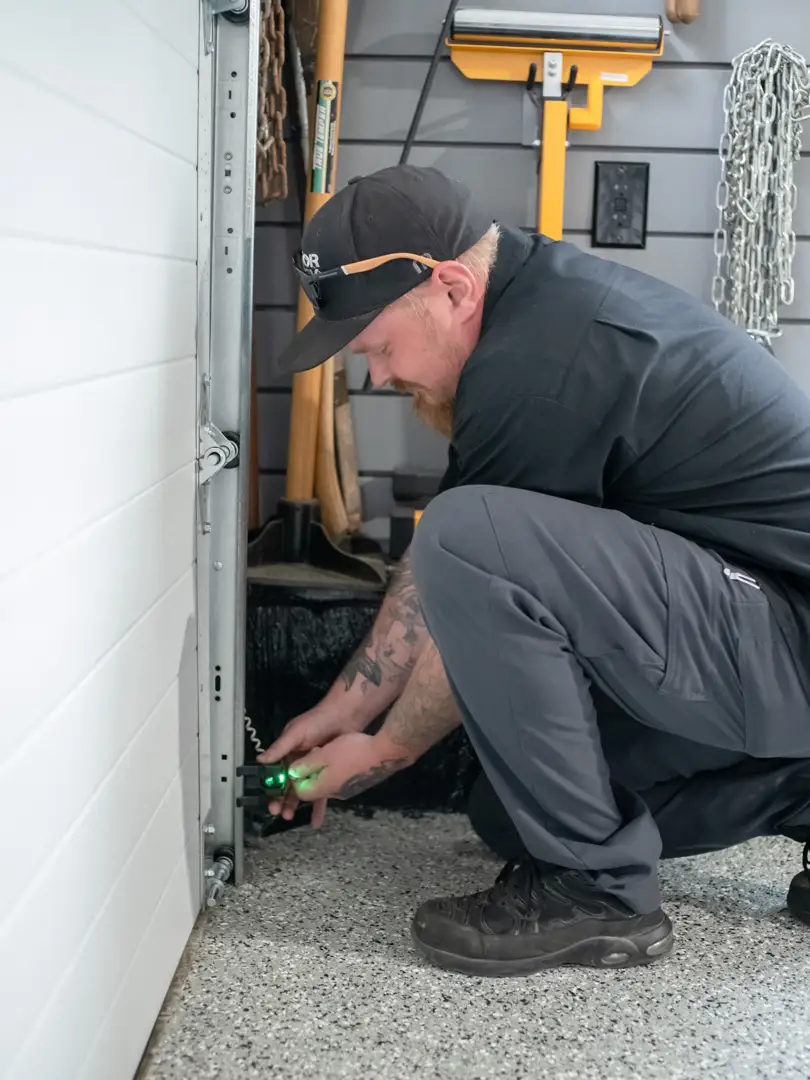
If your opener is not responding to a "close" command, look at the small LED lights on the sensors. One is usually amber (the sender) and one is green (the receiver). If either light is blinking or dark, the sensors are misaligned, dirty, or blocked. A simple cobweb, a stray leaf, or even a bump from a trash can can knock them out of whack. Wipe the lenses with a soft cloth and gently nudge them back into alignment until the lights stay solid. If your sensors are beyond repair, you may need a Garage Door Remote Replacement or a sensor kit upgrade.
The Infamous Lock Mode or Vacation Setting
Have you ever noticed the light on your wall-mounted control panel blinking rapidly? This is often a sign that "Lock Mode" or "Vacation Mode" has been activated. When this mode is on, the opener will ignore all remote control signals for security purposes—only the wall button will work.
This often happens accidentally when someone is cleaning the wall station or leaning against it. To disable it, simply press and hold the "Lock" button on the wall console for about five to ten seconds. The blinking light should return to a solid glow, indicating that your remotes are no longer being ghosted. For more nuances on wall console glitches, see our Garage Door Opener Repair New Market Tips.
Power Supply Disruptions and Tripped GFCIs
If your garage door opener has no lights, no sound, and no response from either the remote or the wall button, it’s likely a power issue. First, ensure the unit is actually plugged in—vibrations from the motor can occasionally wiggle the plug loose over time.
Next, check your GFCI outlets. In many Pennsylvania homes, the garage door opener is wired into a circuit protected by a GFCI outlet (the ones with the "Reset" and "Test" buttons). If that outlet trips—perhaps due to a damp spring morning or a power surge—the opener loses power. Press the "Reset" button on all outlets in the garage. If that doesn't work, check your home's main electrical panel for a tripped circuit breaker. Understanding the Mechanics Behind Garage Door Opener Repair can help you visualize how these electrical components interact with the motor.
Disconnected Emergency Release or Mechanical Obstructions
If you hear the motor whirring or humming but the door isn't moving, the "emergency release" has likely been pulled. This is the red cord that hangs from the opener carriage. When pulled, it disconnects the door from the motorized trolley so you can open it manually.
To fix this, pull the red cord back toward the motor unit (or in the direction specified by your manual) to re-engage the spring-loaded clip. Then, run the opener. You should hear a loud "click" as the trolley reconnects to the door. Also, check the tracks for physical obstructions like a fallen rake or a build-up of frozen slush, which can trigger the safety reversal system. If the motor continues to run without moving the door even after re-engaging, it might be time to consider a Garage Door Opener Replacement.
Advanced Garage Door Opener Not Responding Troubleshooting: Resetting and Reprogramming
Sometimes, the electronics just need a fresh start. Much like rebooting your computer or router, "power cycling" your garage door opener can clear out logic board glitches caused by power surges or frequency interference.
If you've checked the basics and the remote still won't sync, it's time to look at the "Learn" button. This button is usually located on the back or side of the motor unit, often hidden under a light cover. For residents in the Great Cacapon area, we have specific Local Garage Door Opener Programming Tips Great Cacapon WV that dive deeper into these steps.
How to Perform a Power Cycle and Factory Reset
To perform a basic power cycle, unplug the opener from the ceiling outlet and wait at least 60 seconds. This allows the capacitors on the logic board to discharge fully. Plug it back in and wait for the lights to blink, indicating a successful reboot.
If you need to perform a factory reset (usually because you've lost a remote or moved into a new home), press and hold the "Learn" button for about 10 seconds until the indicator light goes out. Warning: This will erase all remotes and keypads from the system's memory. You will need to follow the Garage Door Opener Programming Great Cacapon WV Guide to sync your devices back up.
Brand-Specific Programming Tips for Pennsylvania Homeowners
Different brands use different colors for their "Learn" buttons, which signify the frequency the opener uses:
- Green Button: Older models (390MHz).
- Red/Orange Button: Security+ models (390MHz).
- Purple Button: Security+ (315MHz).
- Yellow Button: Security+ 2.0 (310/315/390MHz) with a rounder antenna.
Knowing your button color is essential when buying replacement remotes. If you are trying to sync a rolling code remote, you typically press the Learn button once (don't hold it), then press the button on your remote within 30 seconds. If the opener lights flash, you're successful! If you’re still stuck, check our advice on Garage Door Opener Repair When to Call a Professional.
Testing Mechanical Health: Beyond the Electronics
If your electronics are perfectly fine but the door still won't move, the problem is likely mechanical. It is a common misconception that the opener does all the heavy lifting; in reality, the springs do about 95% of the work.
Checking Door Balance and Spring Tension
To test your door's balance, close the door and pull the emergency release cord. Try to lift the door manually. A well-balanced door should feel light enough to lift with one hand and should stay in place when you let go halfway up. If the door feels like it weighs 150+ pounds or slams back down, your springs are likely broken or have lost their tension.
Safety Warning: Never attempt to adjust or replace torsion springs yourself. They are under extreme tension and can cause severe injury. If you suspect a spring issue, it is a clear sign of Garage Door Opener Repair When to Call a Professional.
Identifying Stripped Gears and Motor Failure
If the motor makes a humming or grinding noise but the chain or belt doesn't move, you likely have a stripped drive gear. Inside the opener is a plastic gear that can wear down over time, especially if the door is unbalanced. If you open the motor casing and find what looks like "white plastic snow" (shavings), the gear is definitely stripped. While gear kits are available, many homeowners find that if the unit is over 12 years old, a Garage Door Opener Replacement is a better long-term investment.
| Symptom | Likely Electronic Failure | Likely Mechanical Failure |
|---|---|---|
| No lights or sound | Tripped breaker / Unplugged | N/A |
| Motor hums, no movement | Capacitor failure | Stripped gears / Broken spring |
| Door reverses immediately | Sensor misalignment | Obstruction in track |
| Remote fails, wall button works | Dead battery / Lock mode | N/A |
| Door opens partway, stops | Travel limit settings | Broken spring / Heavy door |
Frequently Asked Questions about Garage Door Opener Not Responding Troubleshooting
Why does my opener click or hum but the door doesn't move?
This is usually one of three things: a stripped internal gear, a failed start capacitor (which gives the motor the "kick" it needs to start), or a broken spring that has made the door too heavy for the motor to lift. If you hear a click but no motor sound, it's often the safety sensors blocking the operation. You can learn more about these internal components in our post Understanding the Mechanics Behind Garage Door Opener Repair.
How do I safely operate my door manually during a failure?
First, ensure the door is in the closed position. Pulling the emergency release on an open door with a broken spring can cause it to crash down. Pull the red cord straight down to disconnect the trolley. You can then lift the door by hand. To re-engage, pull the cord toward the door and run the opener until it clicks back into place. For more safety tips, see our Garage Door Not Closing Complete Guide.
What are the signs that my opener needs a full replacement?
Most openers have a lifespan of 10 to 15 years. If your unit is making excessive noise, lacks modern safety features (like auto-reverse), or requires frequent repairs, replacement is usually smarter than patching an old system. Modern units also offer battery backups and Wi-Fi connectivity. Explore your options in our Garage Door Opener Replacement section.
Conclusion
At Door Serv Pro, we understand that a malfunctioning garage door is more than just an inconvenience—it's a security risk and a major disruption to your day. As a family-owned business with over 30 years of craftsmanship, we take pride in serving our neighbors in Chambersburg, Greencastle, and Waynesboro with the same care we’d give our own families.
Whether you're dealing with a simple battery issue or a complex logic board failure, our team is here to help. We offer 24/7 emergency support and a commitment to community excellence that goes beyond just fixing doors. If your garage door opener not responding troubleshooting steps haven't solved the problem, don't risk your safety by tinkering with high-tension springs or complex wiring. Contact us for expert garage door opener repair today, and let us get your home back on track.
Need Help?
Contact us today to discuss your needs. Our team is ready to help.
About the author
Door Serv Pro
More articles
View all postsKeep reading
Related articles
Ready to Get Started?
Whether you need a repair, maintenance, or a new installation, our expert team is here to help.